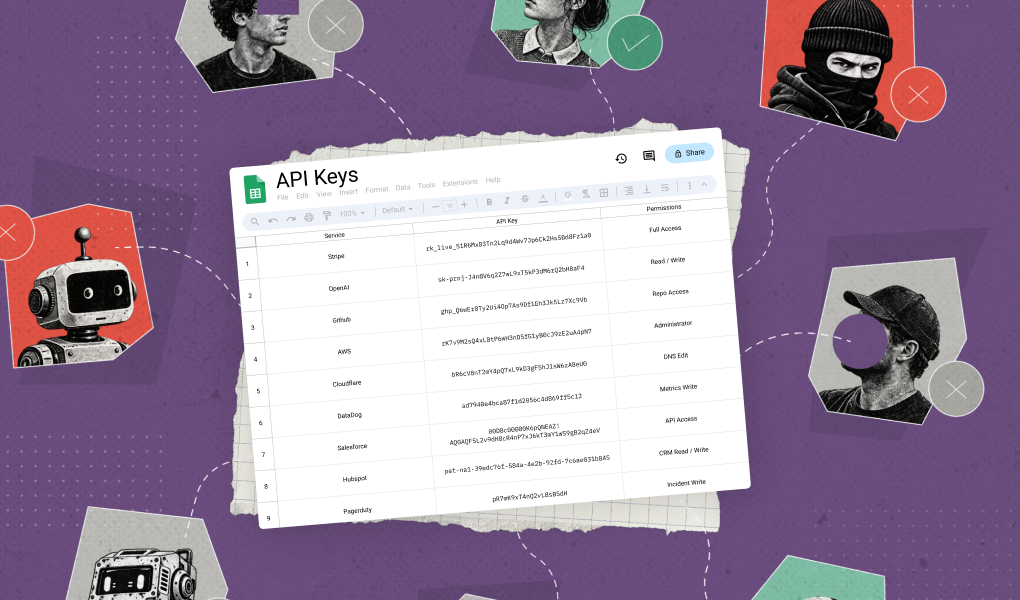



For a business, Google account security means enforcing consistent policy across every employee’s account, not running one person’s security checkup. Each account connects to company email, files, and third-party apps, so a single weak account can expose the whole organization. This guide covers where Google’s native controls stop and how to close the gaps, the same approach Material uses for teams at Figma, Gusto, and Headway.
Key Takeaways
- Securing Google accounts across a business takes three things working together: enforced MFA, admin console controls, and third-party app governance.
- Many of Google's strongest protections, including MFA and recovery options, are opt-in rather than enforced by default, so security depends on consistent enforcement, not just feature availability.
- Material connects to Google Workspace via API in about 10 minutes and surfaces account-level risk, like MFA gaps and risky app connections, without requiring a manual audit.
- Third-party app connections are a common, underaddressed risk: when app allowlisting isn't configured, employees can authorize apps themselves with no admin review.
- A free Workspace Security Scorecard gives a prioritized list of the highest-impact account security fixes for a specific Workspace setup.
What Is Google Account Security?
Google account security is the set of practices, settings, and technologies that protect a Google account from unauthorized access and misuse. For a business, that means every employee account used to access Gmail, Drive, Calendar, and connected third-party apps, not just the admin accounts. Because a compromised employee account can reach shared drives, internal email threads, and whatever apps that employee has authorized, account security has to be treated as an organization-wide control rather than something left to individual judgment.
Why Does Google Account Security Matter for a Business?
A single insecure Google account can expose confidential documents, internal email, and customer data, and the damage rarely stays contained to one person. Because Google accounts sit at the center of daily work across Drive, Gmail, Calendar, and Chat, a compromised account gives an attacker a foothold that can spread to other accounts, disrupt projects, and trigger compliance exposure.
Protection of Company Data
Google accounts hold access to financials, legal contracts, internal email threads, shared calendars, and customer or vendor data. A breach of any one account can mean a data leak with legal and reputational consequences, not just an inconvenience for one employee.
Prevention of Internal Threats and Unauthorized Access
Insecure accounts are a common entry point for phishing and business email compromise, where attackers impersonate executives or partners to move money or data. Once one account is compromised, lateral movement puts every connected account at risk.
Avoidance of Operational Disruption
A hacked account can lock a team out of Docs, Sheets, and Chat, stall a project if files are held for ransom, and damage trust if colleagues receive spoofed messages from a compromised colleague's address.
Compliance and Legal Requirements
Regulations like GDPR and HIPAA set expectations for how account access is controlled. Failing to secure workplace accounts can trigger audits, fines, or breach of contractual obligations to clients and partners.
IT Risk Reduction
Standardized account policies, like enforced MFA and device management, make organization-wide controls easier to apply consistently, which reduces both the number of incidents and the time spent recovering from them.
Does Google's Built-In Account Security Go Far Enough?
Google's security console includes real, substantial protections, including a Security Checkup, two-step verification, and the Advanced Protection Program. The limitation isn't the feature set; it's that many of the strongest protections are opt-in, scattered across different parts of the admin console and API, and depend on individual employees configuring them correctly.
Features Spread Across Multiple Consoles and APIs
Account security settings live across several areas of the admin console, and many are only accessible through separate, siloed APIs. That makes consistent enforcement time-consuming and manual, and it means teams often have poor visibility into user behavior or third-party app access without building their own tooling.
User-Dependent Settings
Protections like MFA, recovery options, and security keys are optional and require employees to opt in and configure them correctly. Security becomes only as strong as the least vigilant user, which shows up as unenrolled MFA, weak or reused passwords, and incomplete recovery setup.
Limited Visibility Into Third-Party Apps
Google can only secure Google-owned services directly. Once an employee authorizes a third-party app with their Google account, Google can't fully audit what that app does with the access it was granted. When app allowlisting isn't configured in Google Workspace, employees can connect apps themselves with no admin approval, and those connections are often left unchecked.
Advanced Protections Aren't Default
Tools like the Advanced Protection Program and context-aware access exist, but they're gated behind role, license, or manual setup. They're typically built for enterprise users and require administrator oversight to turn on, which means they protect almost no one by default.
How Can a Business Improve Its Google Account Security?
Closing these gaps takes a combination of enforced technical controls, admin console configuration, and employee awareness, applied consistently across the organization rather than left to individual accounts.
Enforce Strong Authentication
Require MFA across all users through the Admin Console, preferring authenticator apps or physical security keys over SMS. For high-risk roles like executives and IT staff, enroll accounts in the Advanced Protection Program. Material helps identify and plug MFA gaps across every account automatically, which matters because MFA fatigue attacks are specifically designed to exploit inconsistent enforcement.
Use Google Admin Console Settings
Enable security health recommendations, set up context-aware access, and monitor OAuth app access from the console directly, rather than relying on employees to self-report risky connections.
Audit and Monitor User Activity
Review security reports on a regular cadence, enable login challenge prompts, and force login revalidation after suspicious activity or a device change, rather than treating audits as a one-time setup task.
Add Third-Party Tools Where Native Controls Fall Short
Managing Google account security manually across every employee is time-consuming. Tools that tie together admin console settings, OAuth monitoring, and account activity into one view reduce the manual work a security team would otherwise carry alone.
How Does Material Strengthen Google Account Security?
Material Security integrates directly with Google via API, giving security teams a single view of account risk instead of stitching together multiple Google APIs manually. Once connected, a process that takes about 10 minutes, Material automatically surfaces risky configurations like MFA gaps, overly permissive group settings, and risky auto-forwarding rules, without requiring manual tuning before protection is active.
When a risk is identified, a single click turns on a remediation workflow. Teams can choose standard workflows or customize remediation to match their risk tolerance: some issues trigger an employee notification, others are fixed automatically behind the scenes, and where Google's APIs don't support automation, Material provides step-by-step fix instructions instead.
Material also combines account security with Google Drive DLP and Gmail security in the same platform, so security teams aren't toggling between separate tools to understand risk across accounts, email, and files. Because Material connects via API rather than requiring a specific license tier, it works with any Google Workspace plan. Coverage is deepest for Google Workspace itself; for organizations running a mixed Microsoft 365 environment, it's worth confirming which specific capabilities extend there, since not every Material product covers both platforms equally.
How Are Companies Using Material for Google Account Security?
Headway moved from ad-hoc, periodic security audits to always-on detection and response for Google account risk. SavvyMoney uses Material to monitor and control third-party app usage connected to employee Google accounts, which matters directly for financial services firms managing regulated data. Each team replaced manual, point-in-time reviews with continuous account-level visibility.
Frequently Asked Questions
What is Google account security for a business?
Google account security for a business is the policies, settings, and tools that protect employee Google accounts from unauthorized access, since each account is a gateway to company email, files, and connected apps. It includes organization-wide controls like enforced MFA, admin console policies, and third-party app governance, not just an individual's personal settings. Weak account security is one of the most common entry points for phishing and account takeover.
How is securing a company Google account different from personal Google account security?
Securing a company's Google accounts means enforcing policy across every employee, not hardening one login. A personal user picks their own MFA method and recovery settings; a security team has to enforce those settings consistently, audit admin access, and govern which third-party apps employees connect. Material gives security teams visibility into account-level risk across the entire Workspace domain, not just one account.
What are the most common Google account security gaps in a company's Workspace?
The most common gaps are inconsistent MFA enrollment, overly broad admin privileges, unmanaged third-party app connections, and misconfigured recovery options. Because many of Google's strongest protections are opt-in rather than enforced by default, security depends on every employee configuring their account correctly, which rarely happens without enforcement. Material surfaces these gaps automatically across every account once connected.
How does MFA fit into Google account security?
Multi-factor authentication is one of the highest-impact controls for Google account security, blocking most credential-based attacks even when a password is compromised. Google recommends enforcing MFA for every account, with security keys preferred over SMS for admins and executives. Material identifies accounts without MFA enrolled and helps security teams close those gaps without manually auditing the admin console.
Does Material Security use AI to help secure Google accounts?
Yes. Material uses behavioral detection and automated remediation, not just static rule matching, analyzing sign-in patterns, forwarding rules, and third-party app connections to flag anomalies a human reviewer would otherwise have to find manually. It can trigger remediation workflows automatically once risk is confirmed. AI is included at every Material tier, so this detection isn't gated behind a premium plan.
How do I get started improving Google account security for my company?
Start by benchmarking the current configuration instead of guessing where the gaps are. Material's Workspace Security Scorecard gives a free, prioritized list of the most impactful account security improvements for a specific setup in a few minutes. From there, enforcing MFA, auditing admin privileges, and reviewing third-party app access are the highest-leverage next steps.
Run the free Workspace Security Scorecard to see where your Google account security stands today, or get a demo to see how Material operationalizes it across your whole organization.