File Security

Google Drive Security for the Agentic AI Era
Safely roll out AI tools and prevent data exfiltration without time-consuming, company-wide data governance efforts. With Material, security teams don’t waste time chasing context and business users don’t pause essential work to review file access. Data is automatically protected at scale so the company doesn't need to choose between security and collaboration.
Abstract overlay image with black, blue, and red circles Abstract overlay image with black, blue, and red circles Abstract overlay image with black, blue, and red circles Abstract background image with a curved blue dashed line over a black rectangle
Abstract grid of rectangles with a red dashed rectangle breaking the otherwise uniform layout

Drive sprawl is blocking AI adoption

Google Drive holds the vital context that agents need to work effectively. It is also a repository for the company’s most sensitive data: source code, financial reports, board communications, mountains of PII, and more. When agents connect to this data, they can search, summarize, and act on what they find at unprecedented speed and scale.

Yet most companies don’t have a good idea of exactly what sensitive data is saved in Drive, let alone where it’s stored and who has access to it.

Turning your data governance policy into action is a tall order. Security teams lack the context to make decisions about file sharing and business users don’t have the time to review years’ worth of inherited data. 

Material paves the way for safe AI adoption by finding sensitive data, categorizing it, and investigating sharing patterns so you get an always-on file analyst.

SEE MATERIAL IN ACTION

Agentic Google Drive Security

See how Material helps your team understand sensitive file exposure, investigate risky access, and protect the data that people and AI agents rely on.
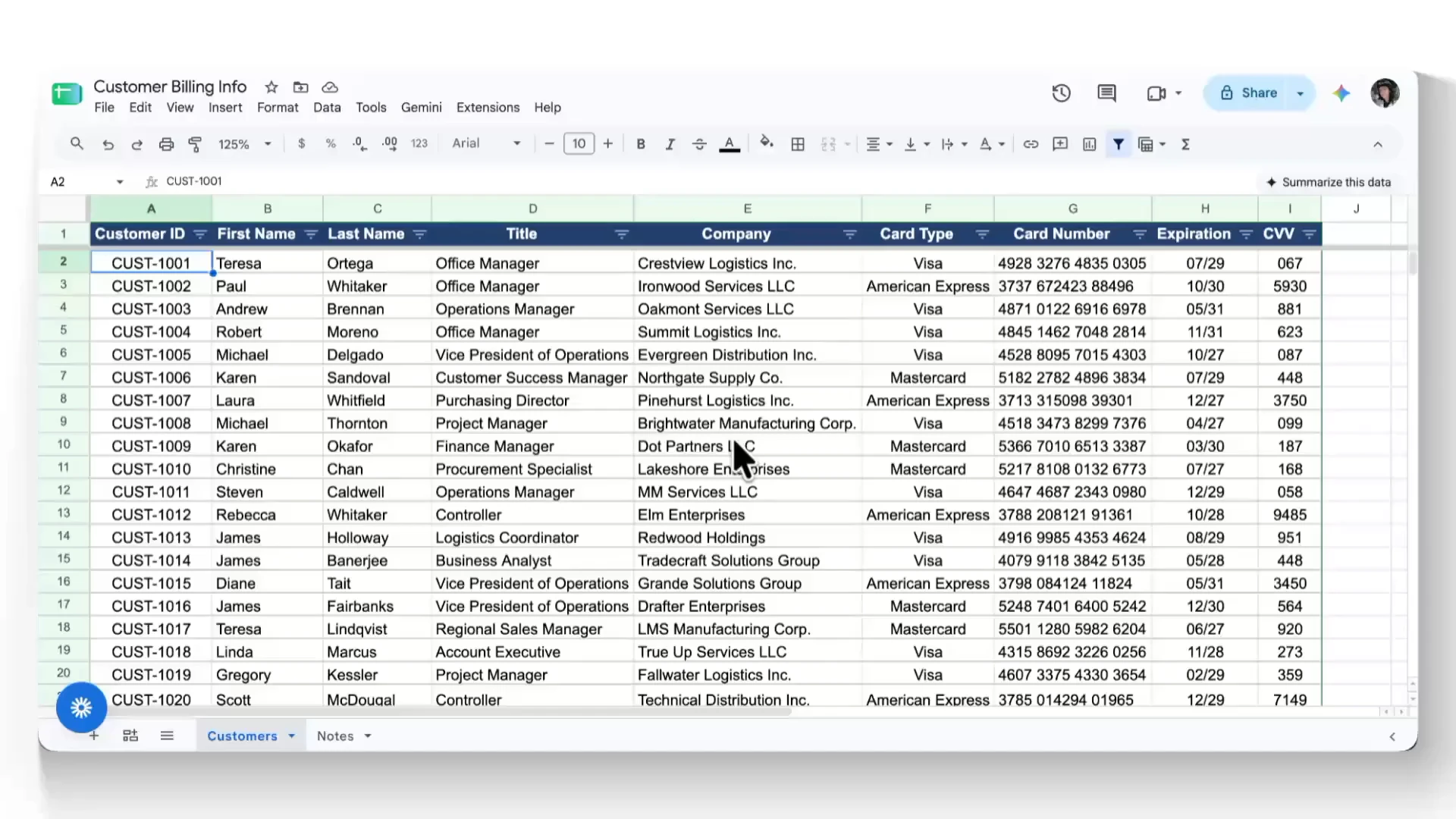
Discover and classify sensitive data

Material scans Drive for new files and reviews their content for any sensitive data, looking for PII, PHI, financial information, and company secrets. When a document matches a sensitive category, Material labels it so you can get a quick view of what sensitive data exists, where it’s stored, and who has access.

Learn more

Automatically investigate file sharing

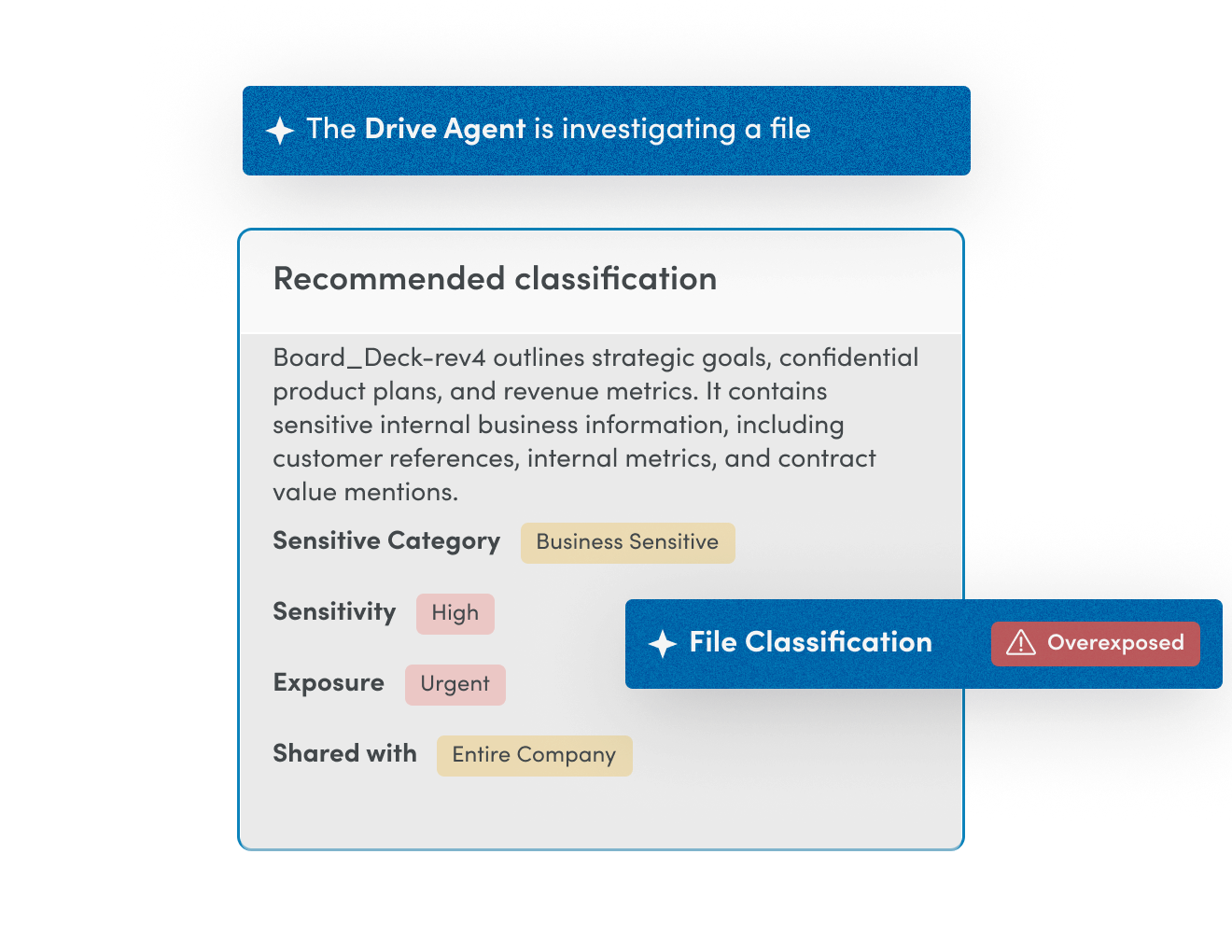
When a sensitive file is discovered, the Drive Agent examines sharing patterns, purpose of the file, and potential exposure to determine the risk it poses. It’s the type of analysis required of a document owner, but there’s no manual review passed off to business users. Security teams get a verdict on risk severity along with a clear explanation of what the agent discovered.

Learn more

Proactively remediate data exposure risks

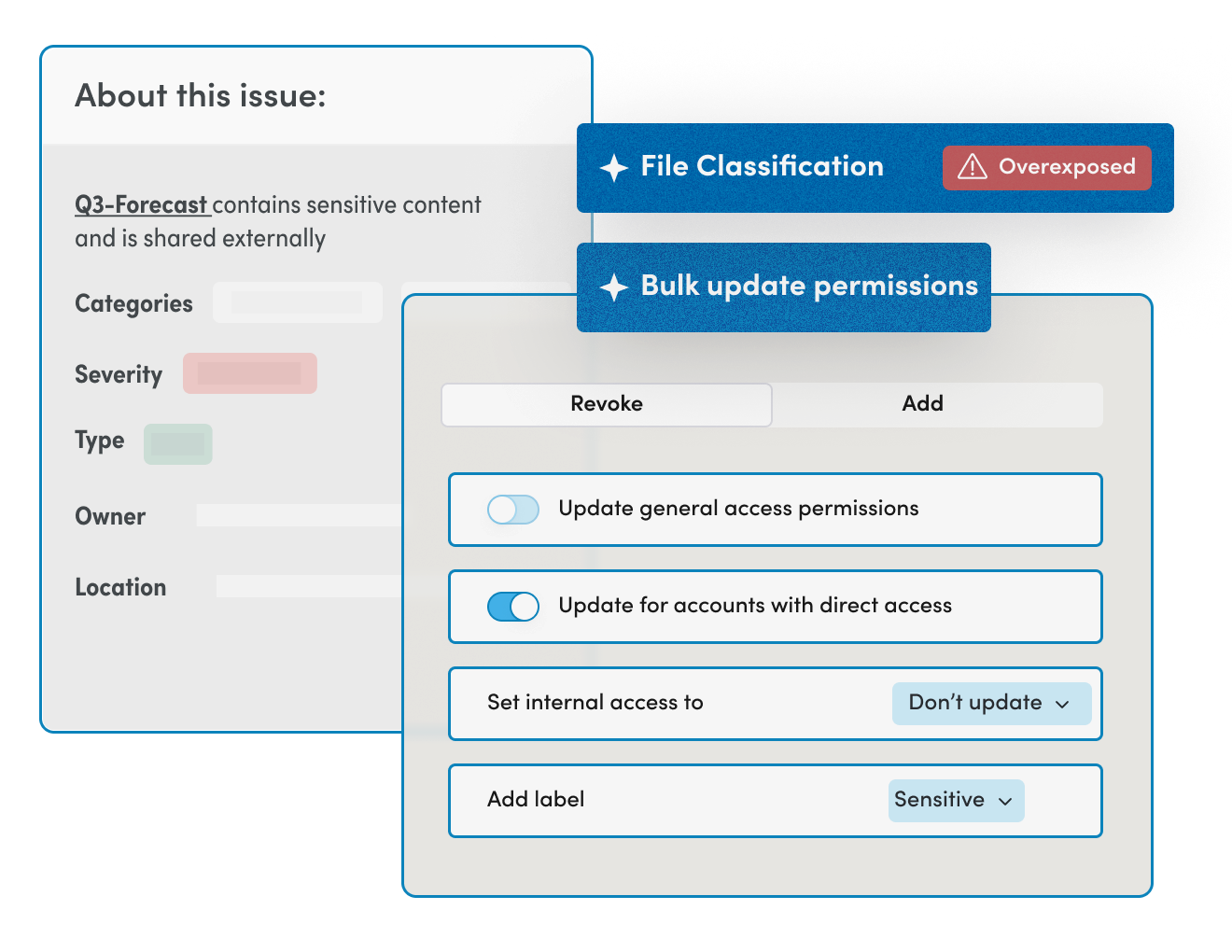
When the Drive Agent finds risky sharing or improper access, it automatically applies a remediation. The agent can be configured to revoke access, change settings, or notify users so it matches your policies and workflows. Material continuously cleans up oversharing and strengthens your data security posture without requiring manual reviews.
Learn more

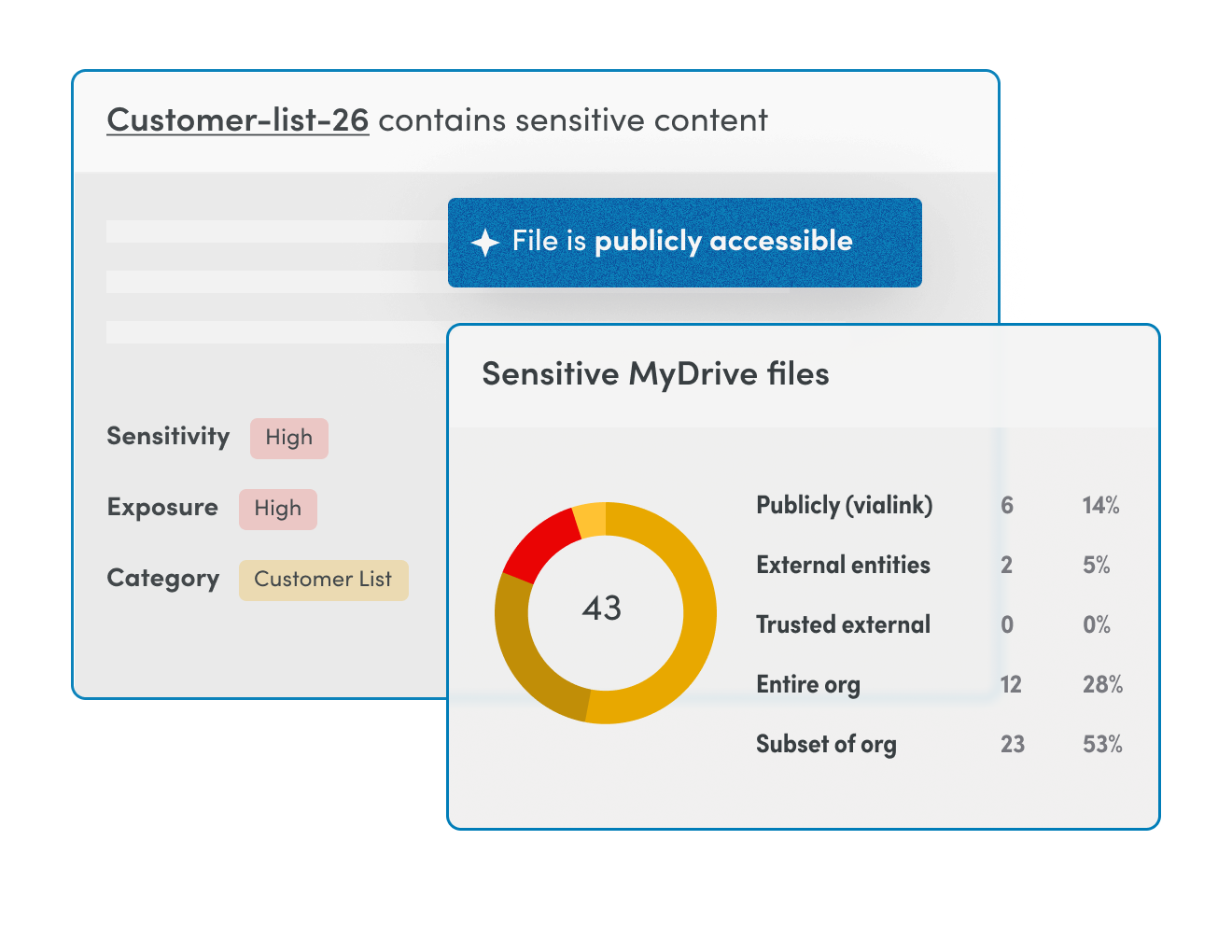
Discover and classify sensitive data

Material scans Drive for new files and reviews their content for any sensitive data, looking for PII, PHI, financial information, and company secrets. When a document matches a sensitive category, Material labels it so you can get a quick view of what sensitive data exists, where it’s stored, and who has access.

Automatically investigate file sharing

When a sensitive file is discovered, the Drive Agent examines sharing patterns, purpose of the file, and potential exposure to determine the risk it poses. It’s the type of analysis required of a document owner, but there’s no manual review passed off to business users. Security teams get a verdict on risk severity along with a clear explanation of what the agent discovered.

Proactively remediate data exposure risks

When the Drive Agent finds risky sharing or improper access, it automatically applies a remediation. The agent can be configured to revoke access, change settings, or notify users so it matches your policies and workflows. Material continuously cleans up oversharing and strengthens your data security posture without requiring manual reviews.
File security, not an alert overload

Legacy DLP stops at alerting and relies on you to act.
Legacy DLP
Material Drive Agent
Investigations
Manual, retroactive
Agentic, proactive
Primary Goal
Data governance
Active risk reduction
Response
Manually triggered, notify business user
Automatic right-sizing of permissions
User Impact
Business users manually review potential policy violations
Agentic cleanup eliminates business user work
Legacy DLP
Investigations
Manual, retroactive
Primary Goal
Data governance
Response
Manually triggered, notify business user
User Impact
Business users manually review potential policy violations
Material Drive Agent
Investigations
Agentic, proactive
Primary Goal
Active risk reduction
Response
Automatic right-sizing of permissions
User Impact
Agentic cleanup eliminates business user work

Reduce effort while
maintaining control of AI

Google Drive is the source of context AI agents need. With countless files being created and edited every week, security teams are inundated with DLP alerts that they pass on to business users and department heads who are tasked with figuring out whether sharing permissions are appropriate. Security lacks the context to do the work, and business users lack the time for constant document reviews. Material’s Drive Agent does the heavy lifting, either with a human-in-the-loop to approve its decisions or as a fully automated workflow, cleaning up Drive in the background.
Because the agent has context from across the workspace, it works as a full-time AI analyst extending your team, auditing every sensitive doc, escalating issues when needed, and recommending classifications based on real sharing behavior and account reputation. The agent works alongside Material's account security, email security, and OAuth grant security products to correlate file sharing activity with signals that a point solution would miss.
File Security Risk

Don’t let the unknowns living in Drive block your AI rollout.

Join the world’s most sophisticated security teams using Material to protect their cloud office.
Get a demo

File Security FAQs

File security is the practice of discovering, classifying, and controlling access to sensitive files so they cannot be exposed, leaked, or exfiltrated. In a cloud workspace, that means knowing which files in Google Drive hold sensitive data, who can reach them, and how that access changes over time. Material delivers this through a direct API connection, finding sensitive content, fixing risky sharing, and keeping data protected even at rest.

DLP is one part of file security, focused on detecting and blocking sensitive data as it moves. File security is broader, since it also covers discovering where sensitive data already lives, controlling who can reach it, and remediating oversharing across shared drives. Traditional DLP often stops at alerting, while Material adds automated permission remediation and protection that holds even after an account is compromised.

No. Encryption protects file contents in transit and at rest, and Google already encrypts data in Google Drive and Gmail, but it does not control who can open a file. An encrypted file is still exposed if it is overshared or sent to an external account. Strong file security pairs encryption with classification, access control, and automated remediation of risky sharing, which is the layer Material adds.

Preventing unauthorized access starts with knowing where sensitive files are and who can reach them, then enforcing least-privilege access. Material discovers and classifies sensitive files, maps every sharing permission, and automatically remediates access that should not exist. Because it monitors access continuously, it also catches the patterns that signal a compromised account reaching for data it should not touch.

The core practices are discovering and classifying sensitive data, enforcing least-privilege access, and monitoring and remediating risky or external sharing. The real challenge is doing this continuously at scale rather than through point-in-time audits. Material automates these steps across Google Drive, turning best practices into always-on protection instead of manual cleanup.

Material connects to Google Drive through the Google API, with no locally-installed apps or agents and no change to user workflows. It discovers and classifies sensitive files, maps every sharing permission, and corrects risky exposure to close the gap automatically. Setup takes minutes, and the inventory updates continuously as files are created and shared.

Because file signals are correlated with email and account activity, Material detects the access patterns that indicate a compromised account is reaching for sensitive data.

Material classifies and reduces sensitive data exposure in Google Drive before enterprise AI search tools like Gemini can surface it. AI assistants inherit the permissions of the user running them, so an overshared file becomes an AI exposure as well as a sharing one. Material labels and locks down that content first, so AI search returns answers without leaking sensitive data to people who should not see it.

New