


Material's documentation is a core product feature, providing interactive, machine-readable guides that empower users to evaluate, deploy, and operate our security tools with complete transparency and independence.
Evaluating a security tool or any other new tech is an exercise in trust with limited information. You get a homepage that says the right words, a demo built to hit its marks, and a sales conversation whose job is to make forty-five minutes feel like proof. Nobody's being dishonest, but the actual mechanics of a product, the parts that determine whether it holds up at 2am during a real incident, are usually the last thing you see. Sometimes you don't see them until after you've signed.
If that feels like an incomplete way to evaluate something a security team is going to depend on every day, that's because it is incomplete.
There's a way to help fill in the blanks, and it doesn't require a login: read the documentation.
Which is why Material builds documentation the way it builds product. We sell software as a service, and the docs run on the same premise: a defined user, a job that user needs to finish, regular releases, and a standard for whether the thing actually works. That makes documentation a product surface rather than a content deliverable, carrying the same obligation to be correct as the code it describes.
Material’s documentation strategy is grounded in real product feedback and support questions, not guesswork about what might be useful. Updates to documentation are prioritized based on where our users actually get stuck and where they ask for help. The writing is optimized for users who have the product open and needs an exact, jargon-free answer fast: it’s written in active voice, with precise terminology and without any persuasive flourish.
Built like a feature
Material's deployment guides don't just describe steps. Several of them are interactive: real, clickable walkthroughs of the actual product embedded directly in the page, not a screenshot with an arrow drawn on it. For example, in the First 30 Days section, you'll get a step-by-step guide to the admin features in Material so you have context for what's possible, even if you yourself don't have full admin privileges. This is especially helpful for decision-makers who might not be hands-on doers, but who need to understand how their teams will interact with the product.
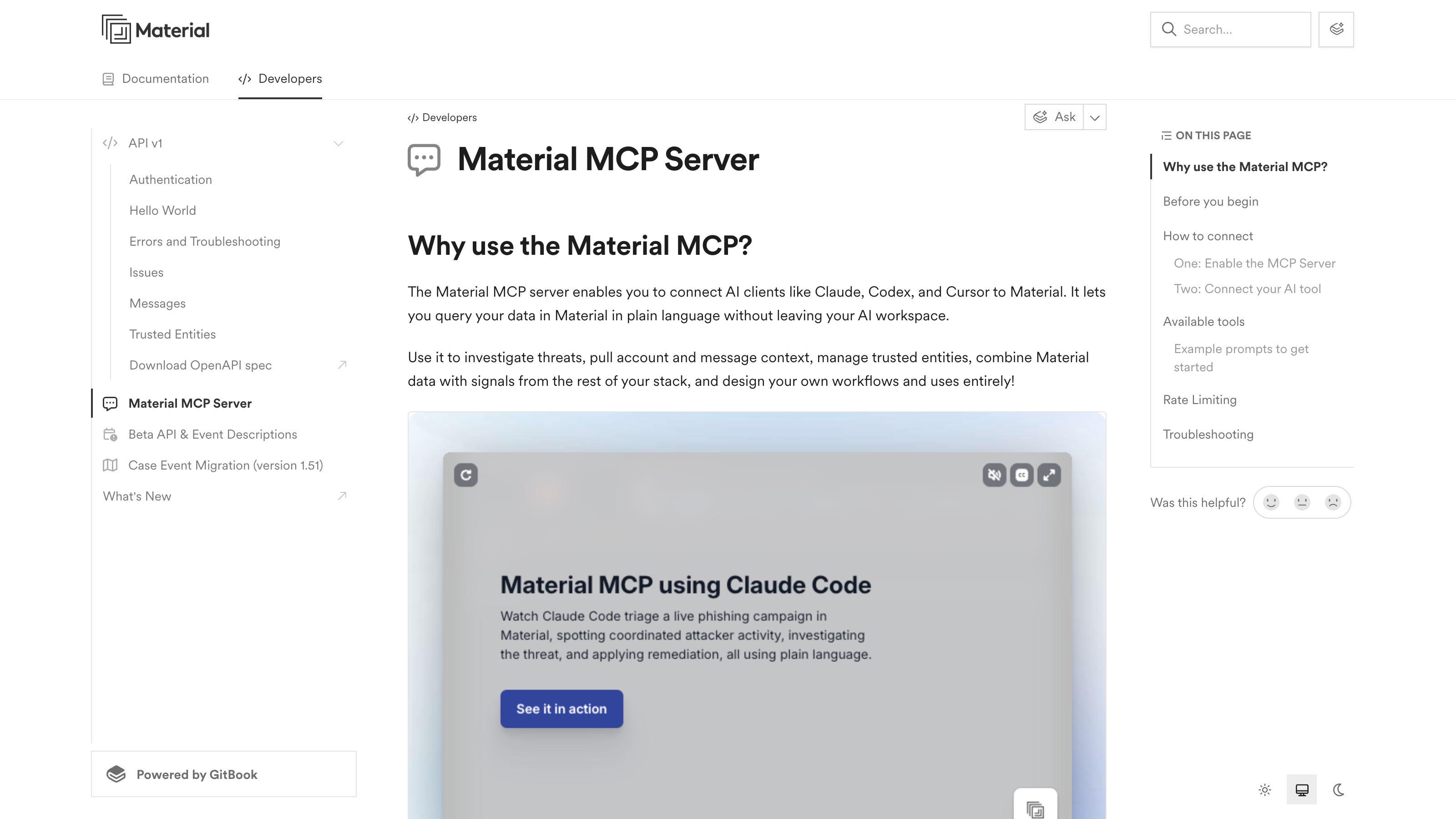
The documentation covers user guides for day-to-day operations and developer reference for in-depth instructions for our API and MCP. There's also a continually updated "What's New" section that surfaces all the new features and fixes with each release.
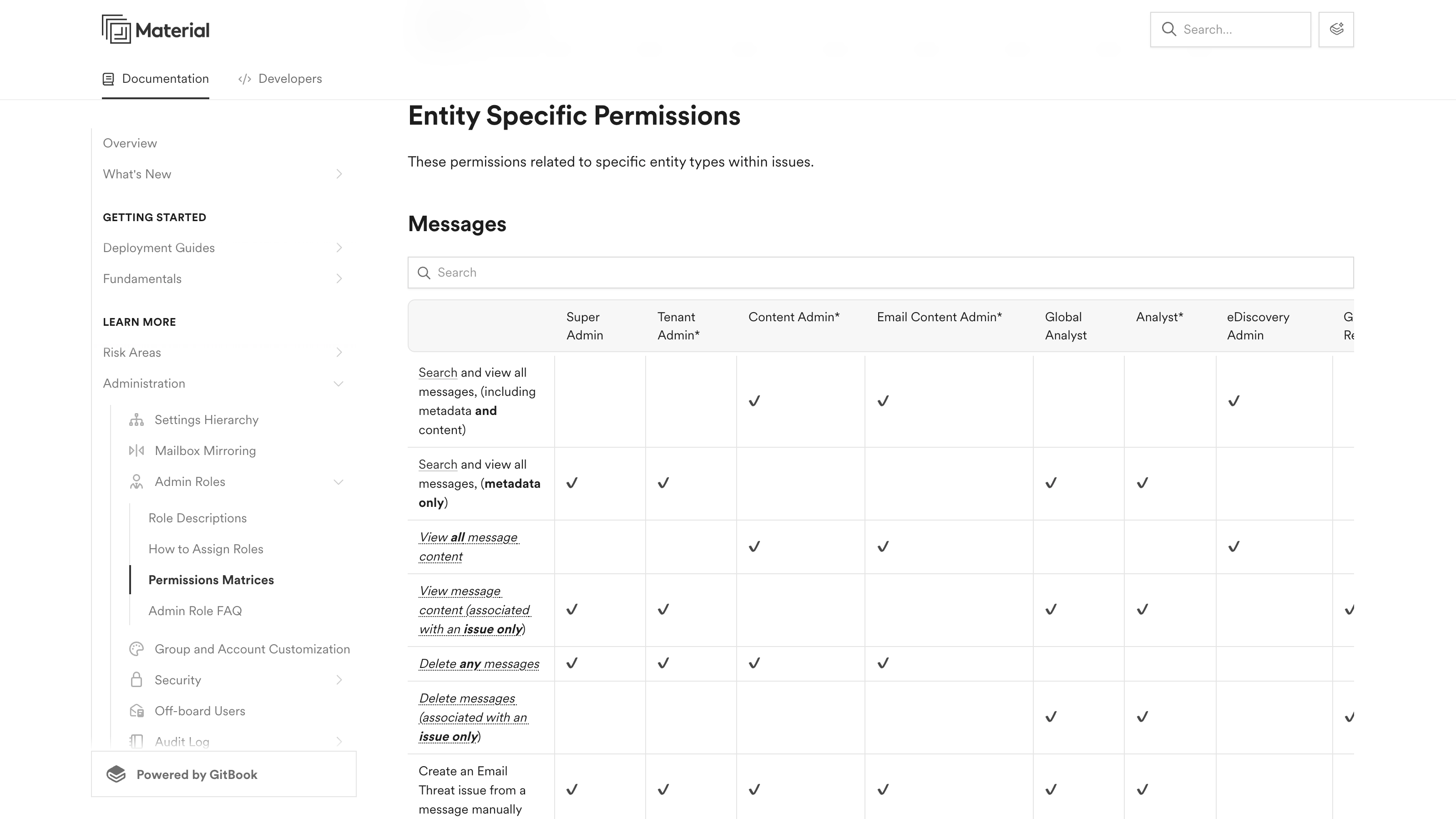
There's a permissions matrix for every admin role, a settings hierarchy that explains what overrides what, and a changelog running back through dozens of versions. It's a direct, actionable record of what's actually shipped, not just what's been announced.
The docs that teach an agent to use the product
It's not just human operators interacting with Material. The clearest example of "built to be used" might be the reference guide on the Material MCP server. Most vendors treat AI integration as a headline. Material's documentation treats it as an operating manual: how to generate a token, connect AI agents like Claude Code, Claude Desktop, or Cursor, exactly which tools an agent gets access to, what happens if you delete a message and add a banner in the same request, and what to check when authentication fails.
Material's documentation is designed to be read by a machine as easily as a person. Every page can be queried directly. The AI search assistant can take a specific question and return a sourced answer, instead of leaving an agent to guess from a half-parsed page. Documentation written for a human and an agent at the same time, without favoring one, is a small design choice that says something bigger about how the product gets built.
The same lifecycle as the product
Material's platform covers a lifecycle: prevent what can be prevented, contain the blast radius of what can't, then detect and respond across the cloud workspace. The documentation covers one too. Evaluate, deploy, operate.
That's why someone running an evaluation and an administrator three months into a rollout end up on the same pages. They're asking a version of the same question, "what does this actually do," at different points in the same lifecycle. There's no good reason to answer it twice, in two registers, with two different levels of candor.
Available now
We don't just write documentation to make ourselves sound awesome: the documentation exists to make users' lives easier and to help them make the most of Material. And now, it exists publicly because evaluating a new security tool shouldn't require taking a vendor's word for how something actually works, and using one shouldn't require filing a ticket to find out. The answer should already be written down, specific, and searchable in under a minute, whether you're deciding if the product is worth your time or you're three months into running it.
That's a low bar. It's also one that's easy to quietly fail, by keeping the real mechanics behind a login, a trial request, or a conversation with someone whose job is to keep the momentum going. None of that is required here. The documentation is just there, describing what the product does and how to make it do that.
If you want to see what that actually looks like, go straight to the source: docs.material.security.