

October product updates: Better visibility into the Auth Agent's verdict, each app's reach, and actions, plus rebuilt reports for Account Takeover Resilience features.
Securing the cloud workspace effectively is all about taking action, not building a backlog of alerts. Material is always shipping updates that take the toil out of workspace security while ensuring that the actions security takes are fast and accurate. In addition to announcing the Google Drive Agent, October’s product updates focus on two areas of Material’s platform: securing risky OAuth grants and measuring the impact of protecting email at rest in the inbox.
Auto-classification now generally available for the OAuth Remediation Agent
The OAuth Agent gives every connected OAuth app a risk classification, and during the beta, security analysts reviewed each classification to make sure the verdict was trustworthy. The feature is now generally available, and the Auto-classify OAuth apps setting lets the agent make determinations. When it’s on, Material applies the OAuth Agent’s recommended classification to new and audited app connections automatically. When a classification is applied, the remediation you choose will be applied automatically. The agent will act as an always-on analyst to review and take action on risky OAuth grants.
The setting is off by default and stays off until you turn it on, so you decide when automation takes over. When you enable it, Material tells you how many apps still have suggested classifications from before the change, and one click takes you to them. To track what’s left, filter the OAuth apps list by Classification State (Suggested or Applied). The same column appears in CSV exports, which makes progress easy to report.
Automated responses are also deliberately limited. Only apps classified as Malicious default to revoking tokens for all users and notifying affected users. Suspicious, Overprivileged, and Unnecessary apps default to no automatic response, so you can keep those decisions with your team.
Better visibility into the OAuth Agent’s verdict, each app's reach, and actions
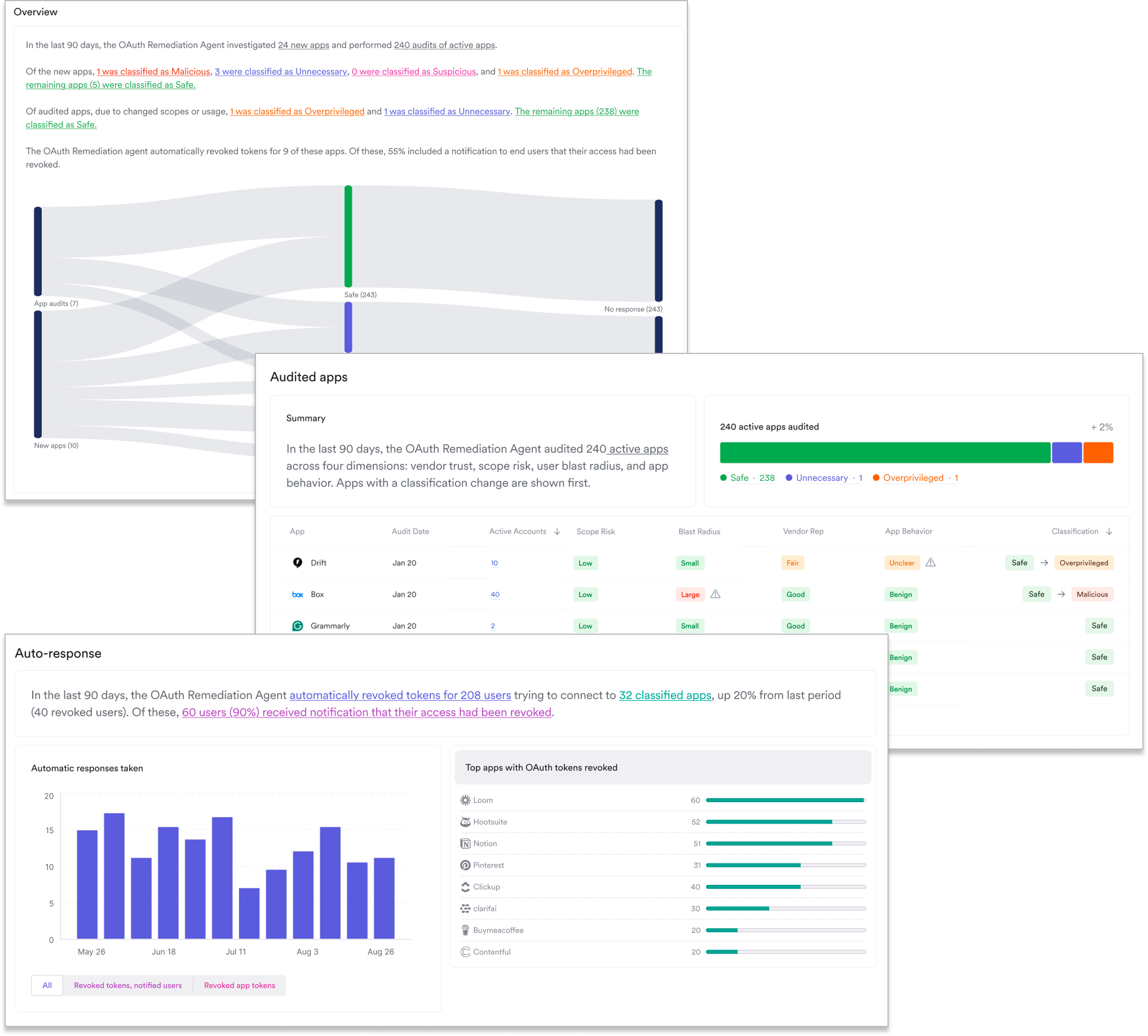
Material has introduced a new report that clearly shows the activity of the agent on newly-connected apps as well as recent audits. See a clear summary of how apps have been classified, which apps have been remediated, and which apps require more investigation. The report is designed to show the agent’s impact over time as it investigates and secures OAuth grants.
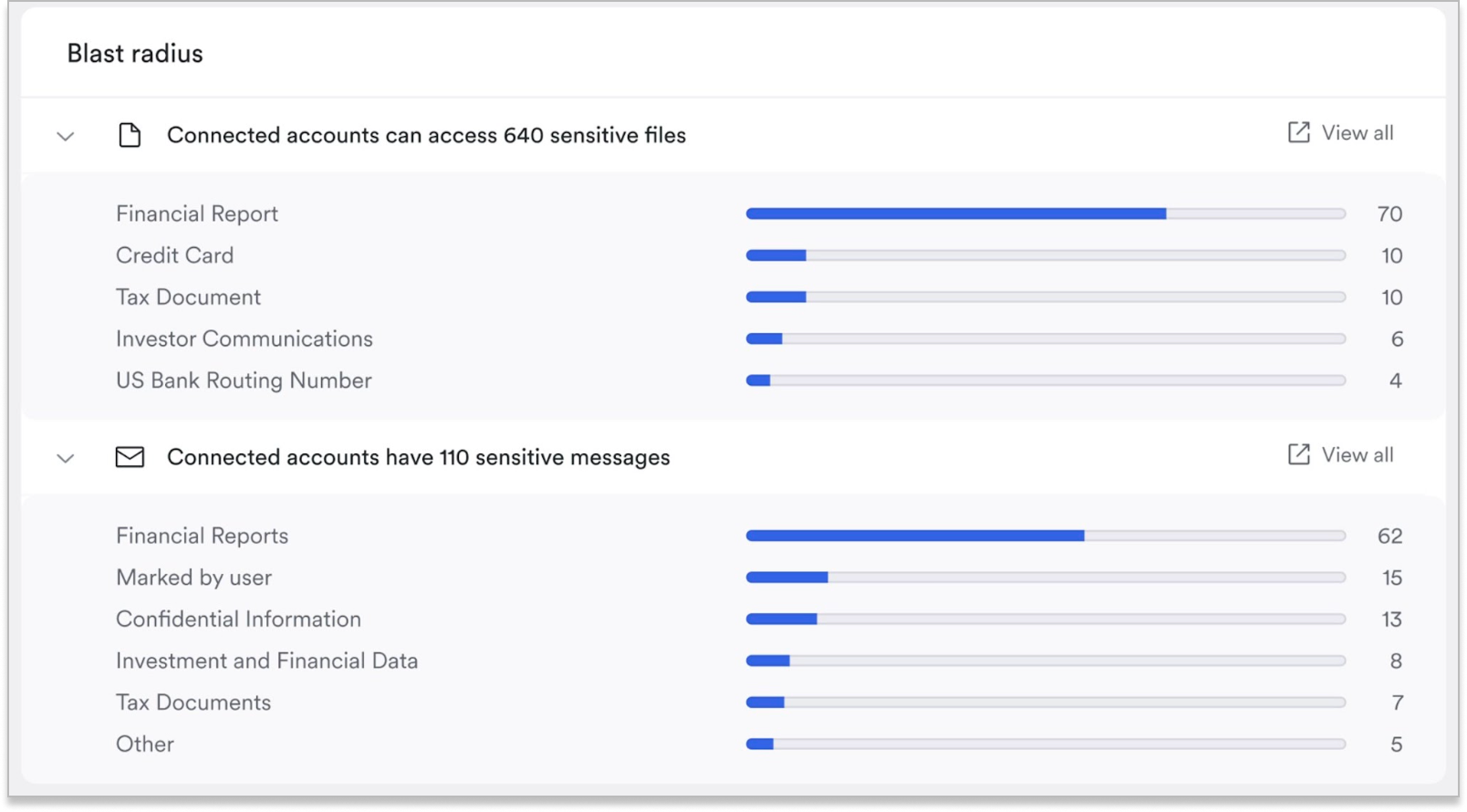
Sometimes a risk label is the start of an investigation, not the end. The new Blast radius card is designed to give you a view into exactly what that risk looks like. On each OAuth app’s detail view, you’ll see how much sensitive content the app’s connected accounts can reach, counted across files and messages. Each count links to the Explorer view where you can move from “this app is risky” to “here is exactly what it can see.”
App investigations that show their work
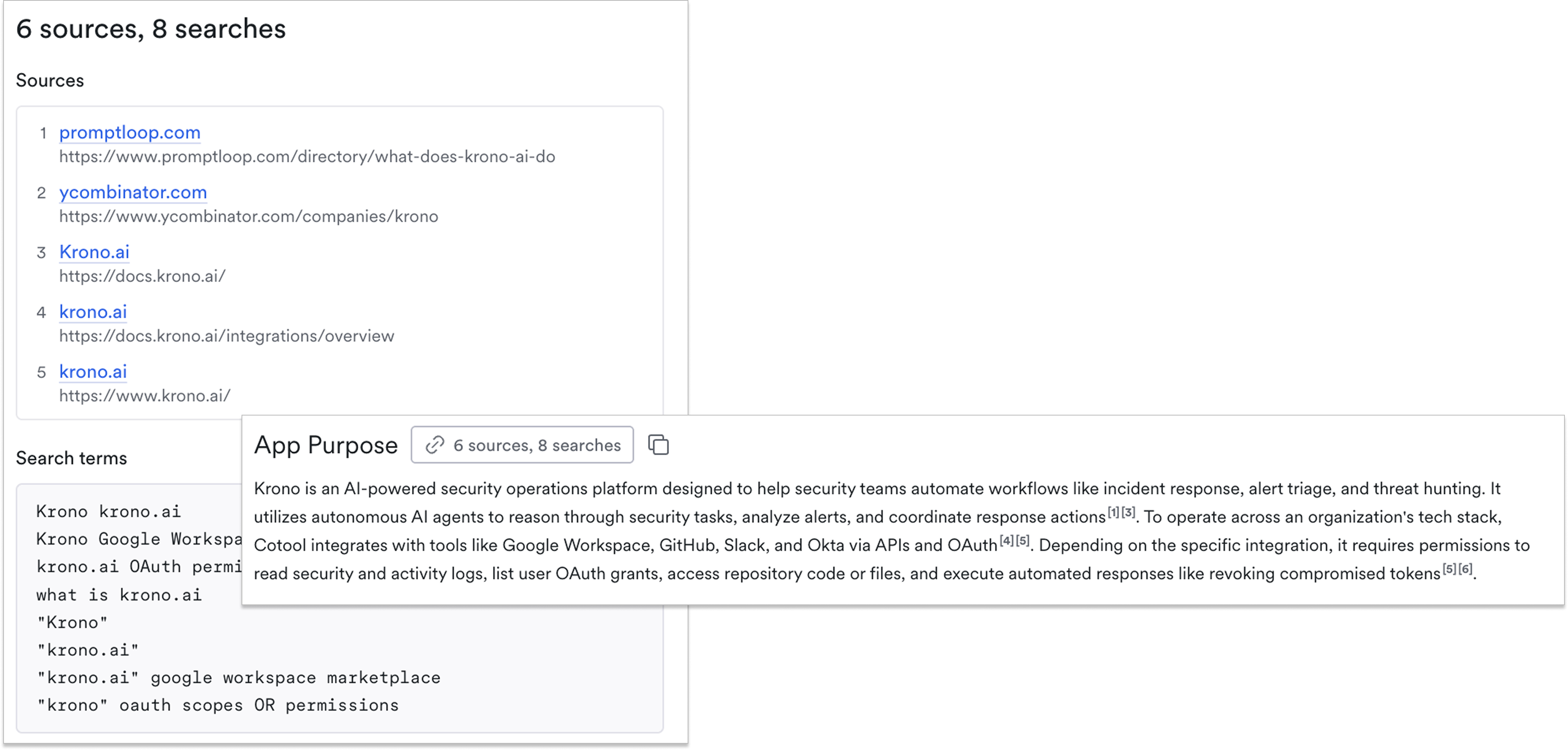
Security leaders should be able to check a verdict before acting on it. OAuth app investigations now show the web searches and sources the OAuth Agent used to reach its conclusion. Each step backed by a search shows how many sources and searches it used, and every claim in the full investigation links back to its source. You get evidence you can verify, not just a verdict you have to take on trust.
It’s also easier to sort and filter OAuth Security Issues, because we’ve introduced new Vendor Trust Level and Scope Risk Level columns. Cross-reference apps with the broadest scopes for email and Drive alongside vendors whose reputations may have changed between audits. It’s an easy way to look at specific risks that may be lurking in your connected apps.
Account Takeover Resilience: an upgraded report experience
Material’s Account Takeover Resilience (ATOR) product protects data at rest in inboxes, securing sensitive data and preventing lateral movement by attackers and rogue agents. This month, we’ve given reporting for these features some attention so it’s easier to quantify the protection delivered by ATOR.
Email Identity Protection redacts password resets, verification codes, and magic links, making them accessible to authorized users through an MFA challenge. Unrequested links can be reported so security gets a signal that a compromise might be in progress.

The rebuilt Email Identity Protection puts every message into exactly one of three outcomes: delivered without verification, held before delivery, or blocked. Nothing is counted twice or dropped, so you can trust the data you see with less margin for error.
The report also gives deeper insight into held messages, with a second breakdown to show what happened next: whether the recipient retrieved the message, reported it as unrequested, failed verification, never attempted verification, or still has verification outstanding. That shows whether holds are piling up, which might indicate an attacker repeatedly attempting to move laterally to other applications through email. The report also separates activity by message type (password resets, verification codes, account activations, and account access messages) and includes a service matrix showing whether each service is set to Protect, Block, Detect Only, or Disabled. You can export the full report to PDF for leadership reviews.
Email Redaction protects messages saved in the inbox with sensitive content like PII, financial data, or healthcare information. When the owner needs to view a redacted message, they can unlock it using an out-of-band challenge.
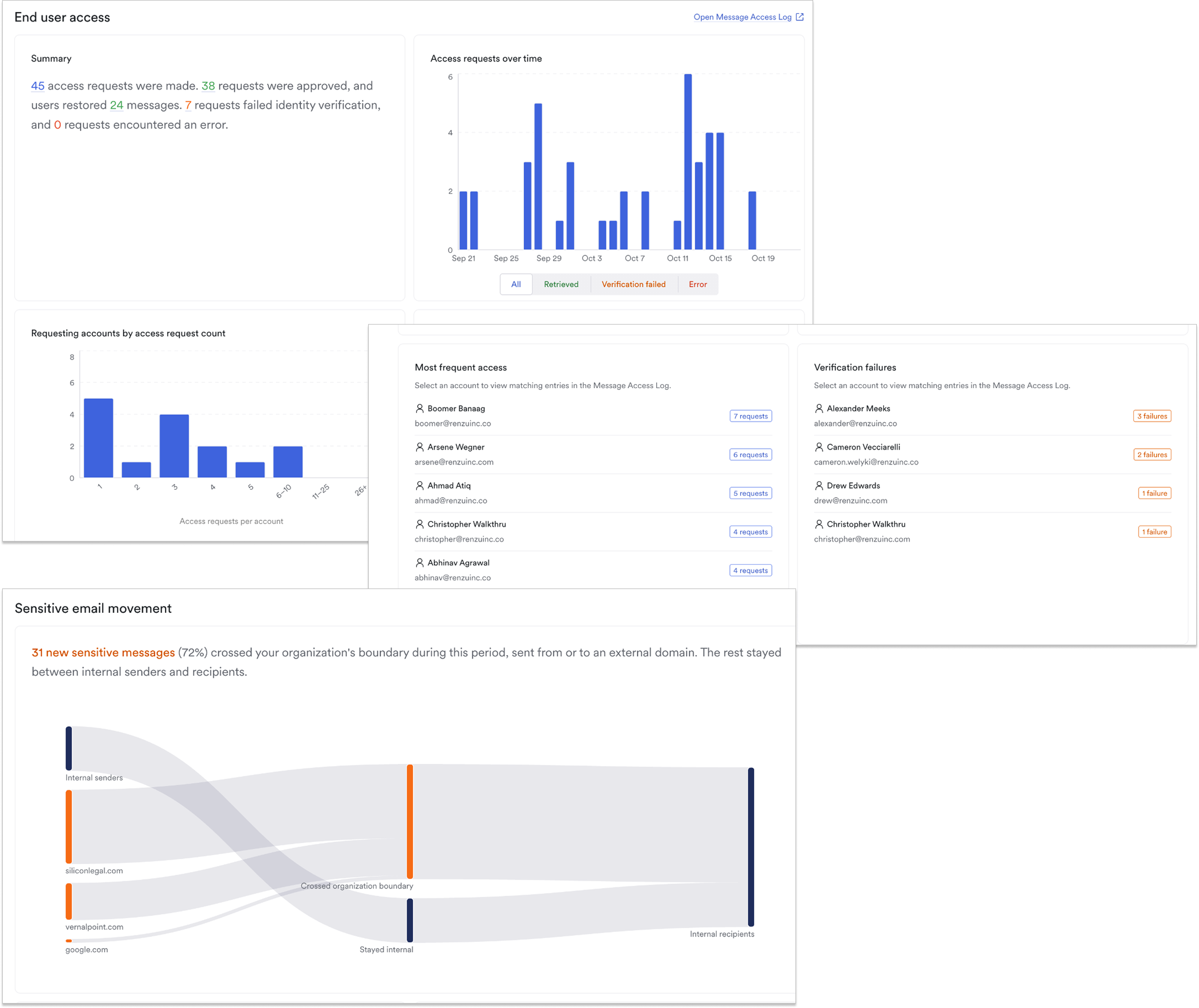
A new report replaces the previous Email Redaction and Sensitive Content reports and gives a clearer picture of how Email Redaction is working in your environment. It includes an estimate of currently redacted messages with a weekly trend, histograms of access requests and the age of retrieved messages, and a chart of access requests over time using the same date ranges as the Email Threats report.
Why it matters
Together, these updates help security teams move from detection to decision faster, with evidence they can check at every step. Whether you’re defending against OAuth risk or protecting sensitive emails, the goal is the same: fewer open questions and more confidence in the answers.
Ready to see how Material can help protect your cloud workspace? Get a demo today.