


Discover Material's latest updates: visualize sensitive file sharing in Google Drive, search files with AI-powered prompts, and customize threat detection faster to strengthen your workspace security.
At Material, our goal is to take the toil out of cloud workspace security so lean teams can stop drowning in alerts and start getting proactive. The latest updates to the Material platform help teams go from Drive sprawl to targeted action, while introducing an easier way to customize the detection engine.
Sensitive file sharing, visualized
Google Drive is built for sharing, with features that remove the friction between creating a document and getting information in front of the right collaborators. But that same ease of use can expose company secrets to prying eyes (and overly-curious AI agents). We’ve worked with some of the best security teams in the world as they get their Google Drives under control, and we’ve learned a lot along the way.
The most consistent theme we've heard is the need to get a fast view into actionable risk. That’s why we’re introducing a new dashboard that shows the sensitive content that lives in Drive and how it’s being shared. An overview maps the number of sensitive files being shared publicly, externally, and with the entire company, along with a view into trusted external shares and files only shared with a subset of the company.
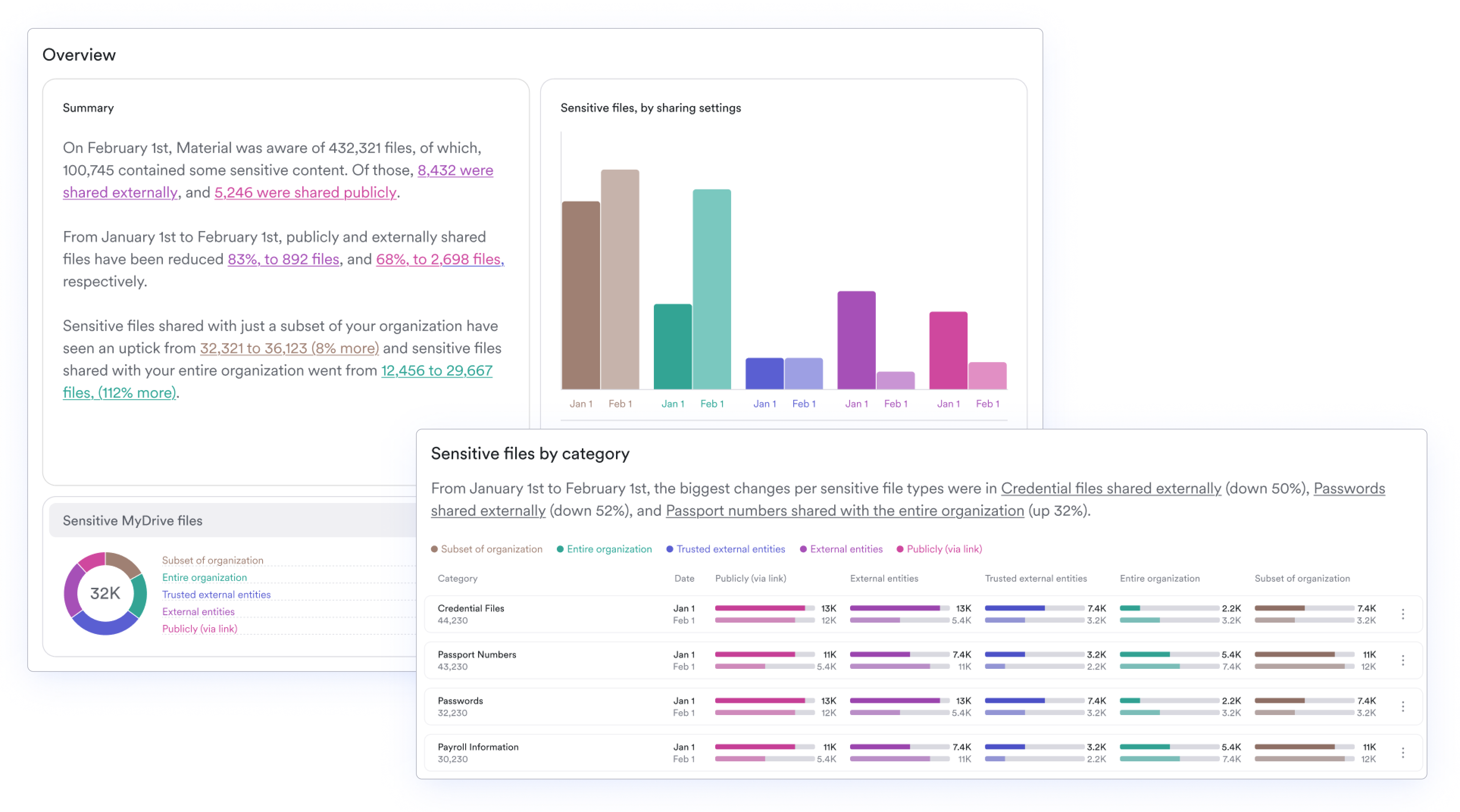
Users can drill down into categories and see how specific types of sensitive content are being shared. Want to make sure source code never leaves the company? Need to keep a potential merger strictly confidential? It’s easier than ever to make sure you know whether company policies around docs like these are being followed.
Simplified file search
Sometimes you need to zoom in on highly specific sensitive documents in Drive and see file-level details. Doing this kind of search shouldn’t eat up time, which is why we’re introducing two new ways to simplify the file search process.
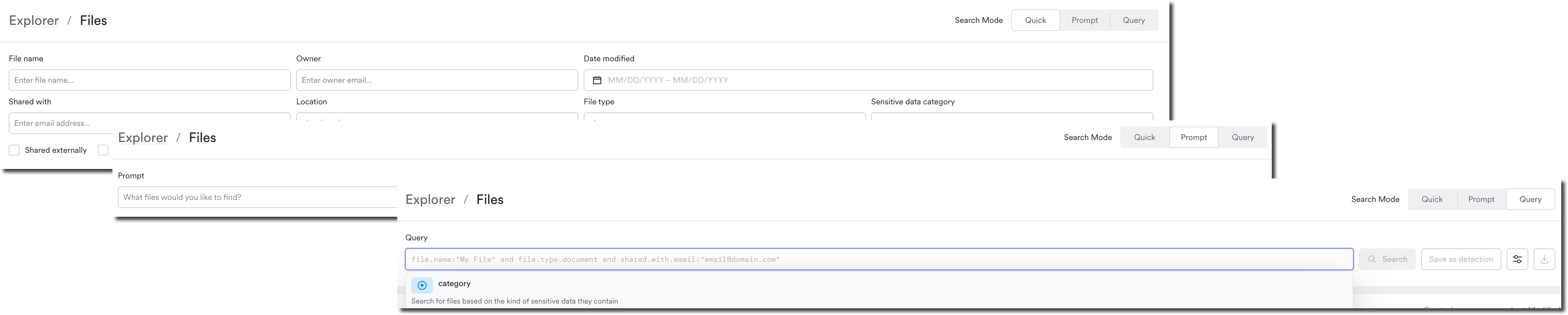
Material’s AI Prompt File Search lets users write a plain English description of which files they want to find, and the platform will return a list for them. For example, if an employee is being offboarded and you need to make sure they no longer have access to a spreadsheet with social media logins, you can just describe your scenario and remediate the exposure.
For users who prefer a more structured interface, we’ve also added a new Quick File Search option. This provides users with fields they can fill out, rapidly narrowing their searches and allowing them to filter across public, external, and trusted external shares. With a few quick keystrokes, users can dig into files matching their parameters.
Faster custom detections
When a specific, highly-targeted attack vector crops up, security teams need the ability to act quickly and stop the threat. Black box solutions force security teams to wait for platform updates to close the gap, but teams shouldn’t have to compromise on threat detection. Material allows teams to customize the detection engine and ensure targeted threats don’t slip through.
The redesigned UX for custom detections makes it easier and faster to slam the door on fast-moving threats. This update consolidates the customization interface into a single modal for creating and editing detections and responses across email and files. Now, there’s one screen to quickly create and deploy a detection, so tweaking takes up as little time as possible.

See how Material can help you
Ready to experience Material’s cloud workspace security platform for yourself? We’d love to show you how we can help close the gaps across email, data, apps, and identities in your Google Workspace. Book a demo today.